
Context & budgets
The context module handles the hard problem of fitting a conversation into a
fixed-size context window. The agent runs it automatically before each LLM
call, so you rarely call it directly - but understanding it explains the
ContextBudget events and the pruning behavior.
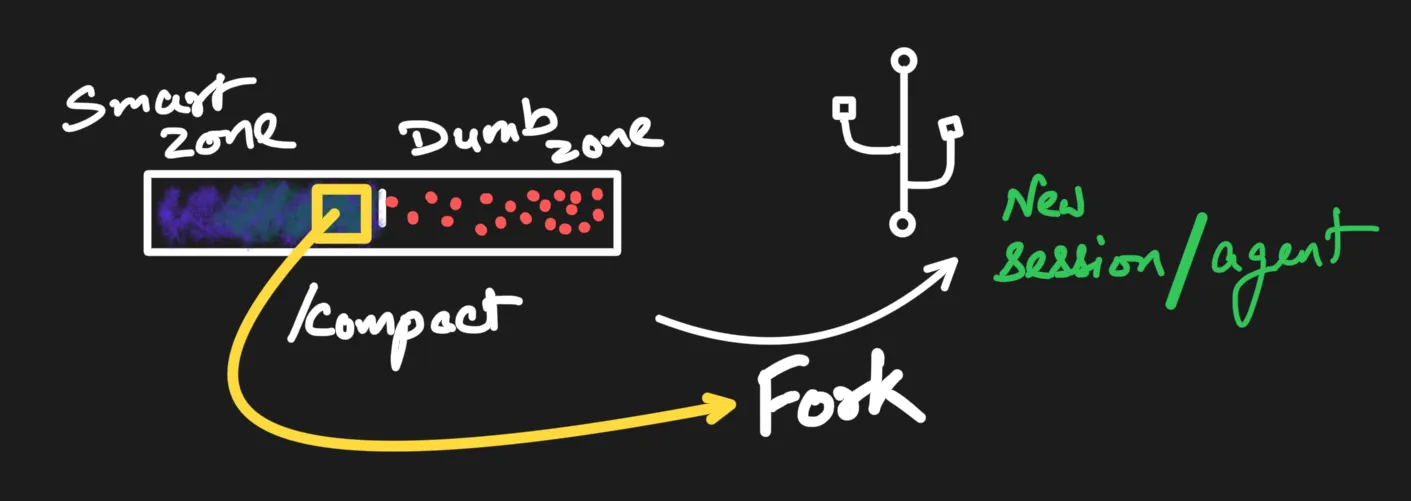
Attention isn’t uniform across the window: there’s a smart zone early and a dumb zone as it fills. Pruning and summarization keep what matters in the part the model actually reads.
What it does
Section titled “What it does”- Prunes old messages when the conversation exceeds the token budget.
- Formats the surviving messages into a prompt string with the active chat template.
- Reports how many tokens are used and how many messages were pruned.
use orion_core::ChatMLTemplate;use orion_core::context::{prepare_context, ContextConfig};
let token_counter = |text: &str| -> u32 { /* your tokenizer */ 0 };
// Prune to fit the budget *and* format with a chat template in one step.let prepared = prepare_context(    &ChatMLTemplate,        // any `ChatTemplate` impl    "You are helpful.",     // system prompt    &messages,              // full conversation history    &tool_schemas,          // tool schemas to inject (may be empty)    &ContextConfig::default(),    &token_counter,)?;
// `prepared.prompt` is the formatted string to feed your backend.println!(    "{} tokens, {} kept, {} pruned",    prepared.token_count, prepared.messages_included, prepared.messages_pruned,);
Prune strategies
Section titled “Prune strategies”Set via ContextConfig::prune_strategy:
SlidingWindow(default) - drop the oldest turns first to fit the budget. Keeps the system prompt and the most recent messages.Summarize- before pruning, the agent folds the oldest overflowing turns into a single pinned summary message (one extra backend call), so their gist survives instead of being dropped. Prior summaries are consolidated, so exactly one accumulates. It’s best-effort: if summarization fails, it falls back to the sliding window.
Pinned messages
Section titled “Pinned messages”Any Message with pinned == true always survives pruning,
regardless of budget or strategy:
let pinned = Message::user("id", "Important context").pinned();// or toggle an existing message:agent.set_pinned(message_id, true);Pruning is turn-aware, so a pinned message keeps its whole turn - pinned call/result pairs are never orphaned.
The ContextBudget event
Section titled “The ContextBudget event”After each context prep, the agent emits a ContextBudget event with the
tokens used, the maximum, and how many messages were included versus pruned -
ideal for a live “context full” gauge in your UI. See Events.